Your team
Your team
Invite people, choose their roles and fill in when and where they work.
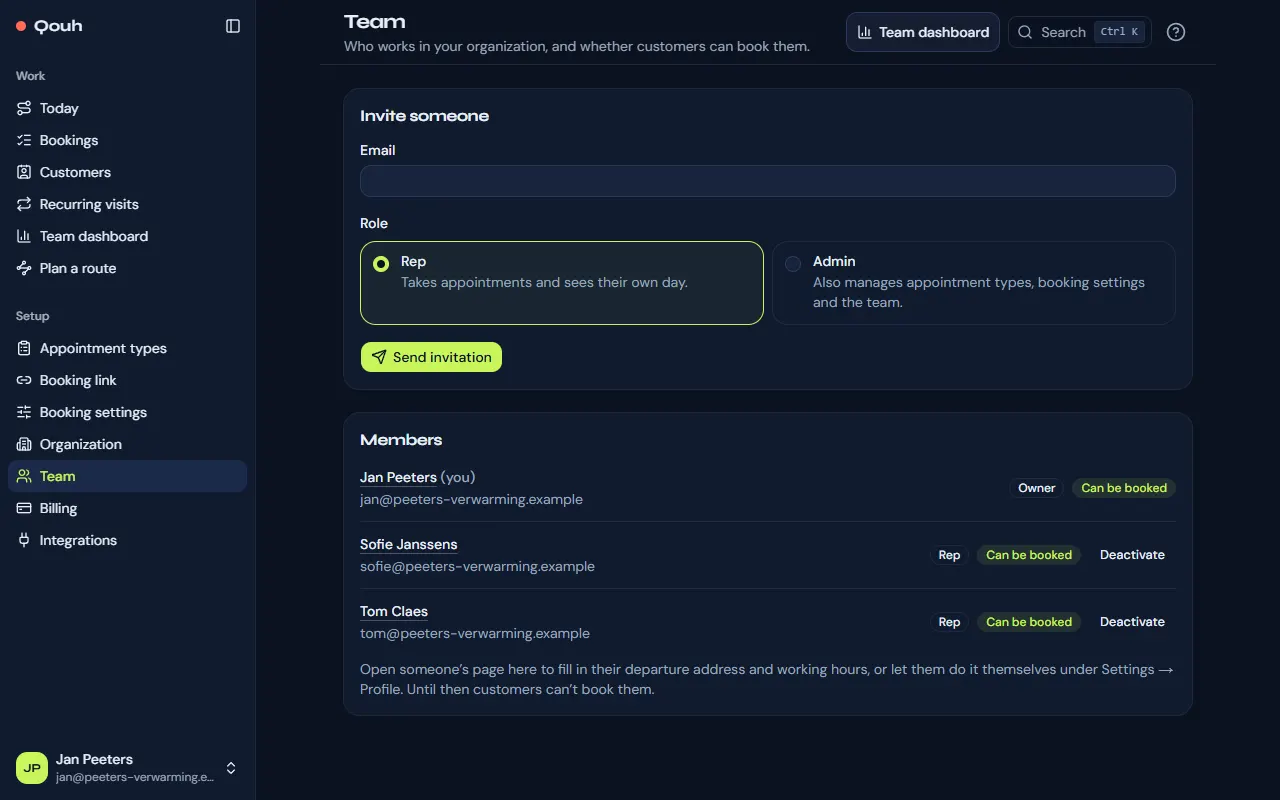
Invite someone
Under Setup → Team, enter the email address and choose a role. They get an email with a link to choose their name and password; until then the invitation is listed as pending. Free has one user; paid plans up to 25, and each user beyond those included is billed on top.
Roles
Reps take appointments and see their own day. Admins also manage appointment types, booking settings and the team. Owners also manage billing, the organization and everyone’s role.
A member’s page
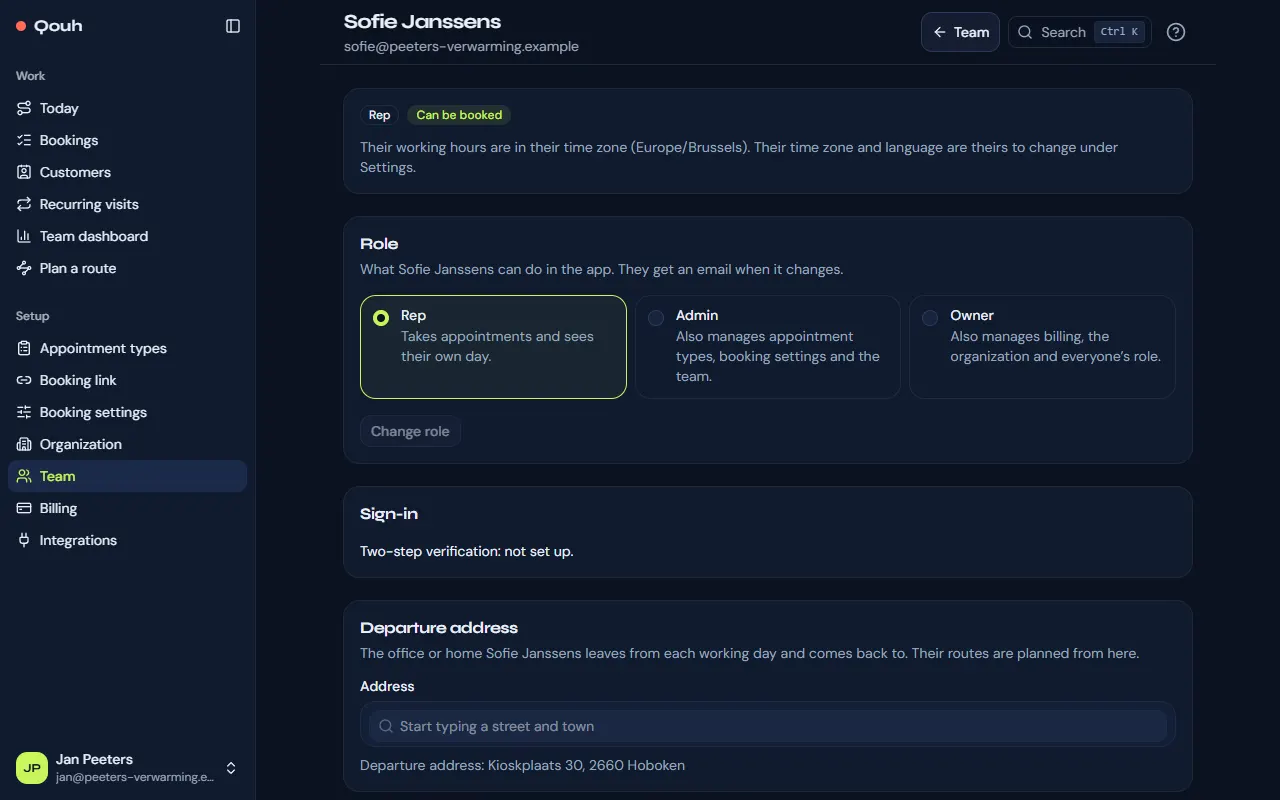
Click someone’s name on Team to fill in their departure address and working hours, so customers can book them. Owners change a member’s role there; the member gets an email about it.
Lost phone
If someone can’t get their sign-in codes any more, “Reset two-step verification” on their page signs them out everywhere so they can set it up again. Owners reset admins and reps, admins reset reps. Another owner’s is reset by our support: contact us.
Someone leaves
“Deactivate” signs them out everywhere and they can’t sign in again; customers can no longer book them. Their past visits stay.
Still stuck? Ask us.