Settings and account
Notifications and reminders
Hear about new and changed visits on your phone, know when to leave, and remind customers by email.
Turn on notifications
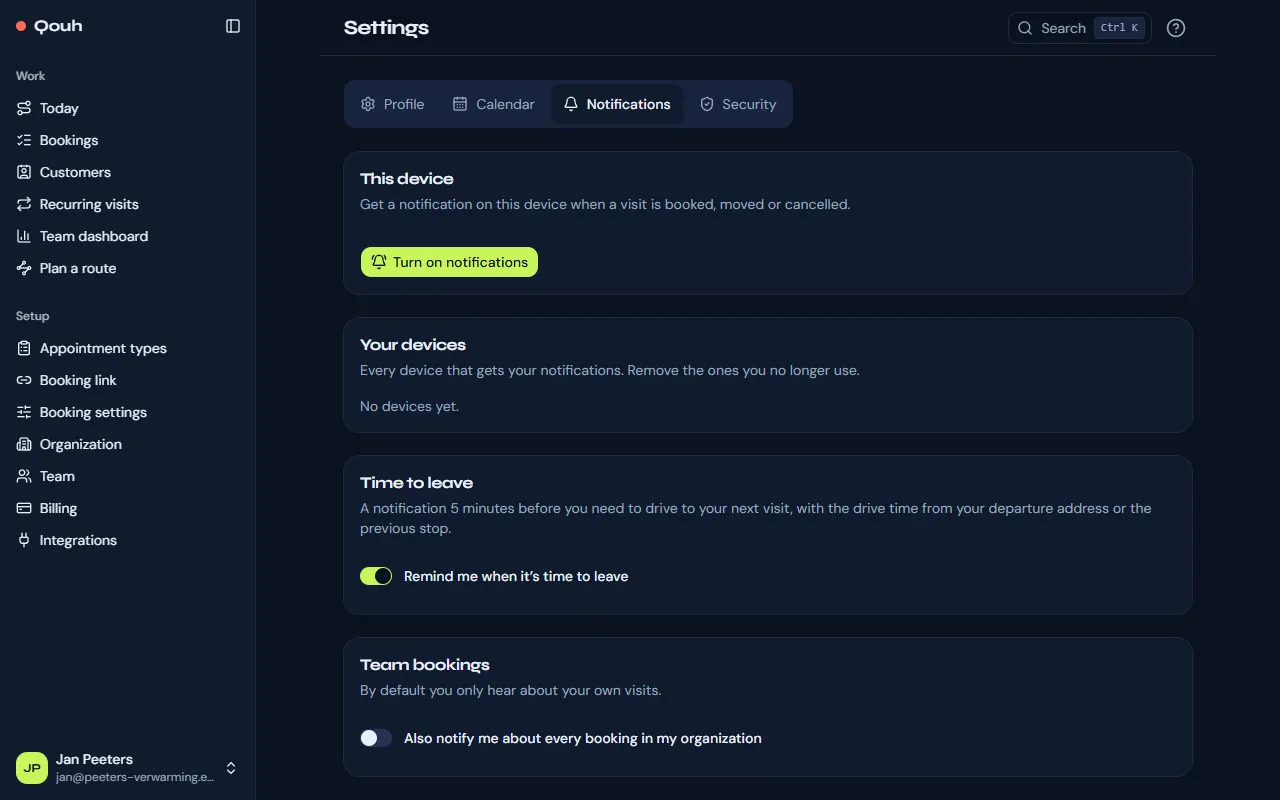
Under Settings → Notifications choose “Turn on notifications” on each phone or computer that should get them. You then hear when a visit is booked, moved or cancelled. On iPhone and iPad, add the app to your Home Screen first and turn them on from there. Signing out turns them off on that device, so someone else using it doesn’t get yours. They also pause after 30 days without opening the app, and come back when you sign in again on that device.
Time to leave
“Remind me when it’s time to leave” sends a notification 5 minutes before you need to drive to your next visit.
The whole team’s bookings
By default you only hear about your own visits. Owners and admins can also choose to hear about every booking in the organization.
Reminders for customers
Customers get an email at 18:00 the day before their visit, with the time, the address and a link to reschedule or cancel. Owners and admins turn this on or off under Setup → Booking settings → Reminders.
Still stuck? Ask us.