Day to day
Today and the day’s route
Your visits in driving order, the drives between them, the map and when to leave.
Your day at a glance
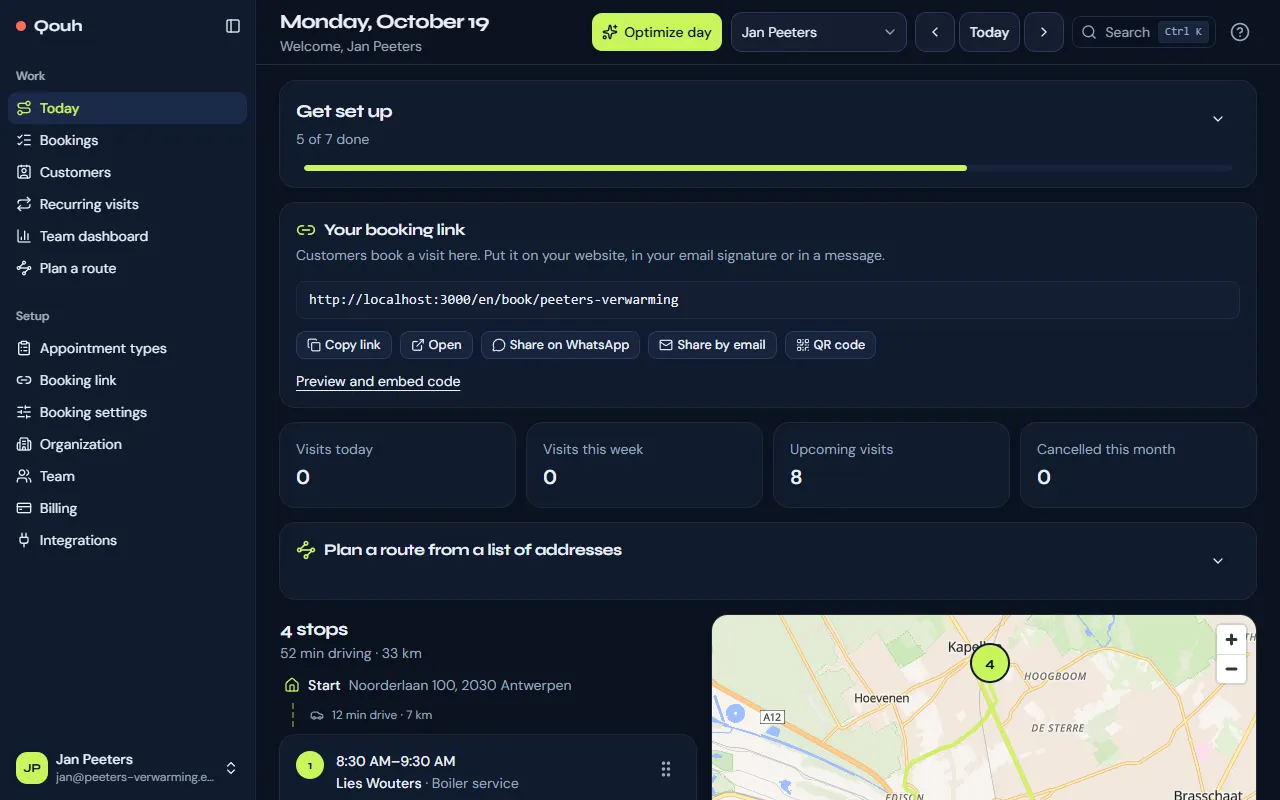
Today lists your stops in order, from your departure address and back again, with the drive and the distance between each. The top shows how many stops and how much driving the day has. “Previous day” and “Next day” move through the week.
Know when to leave
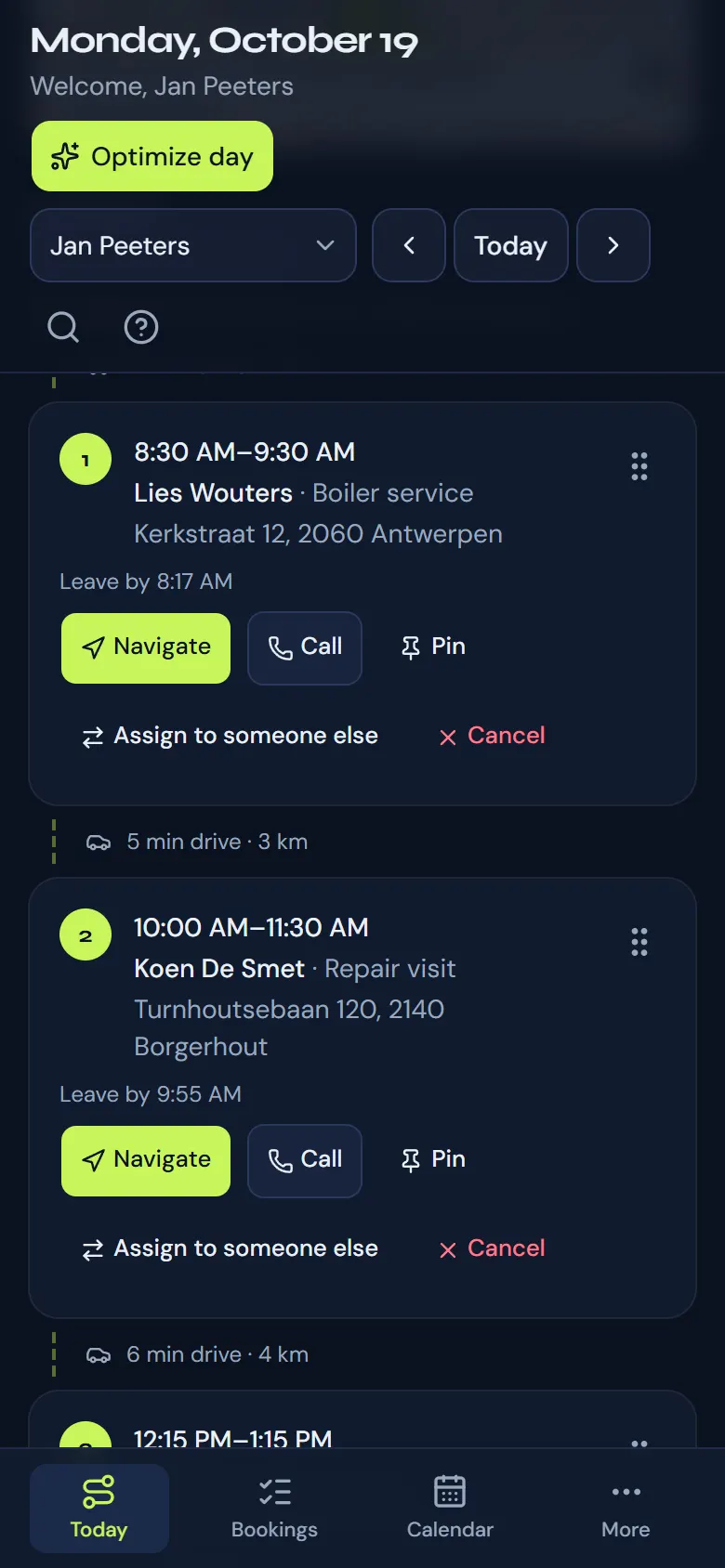
Each stop shows “Leave by” with the time to set off to arrive on time. If a drive can’t fit between two visits, the stop says so. With notifications on, your phone also tells you when it’s time to go.
Navigate, call or cancel
Each stop has buttons to start the drive in Google Maps or Waze, to call the customer and, when plans change, to cancel the visit.
Put the day in a better order
“Optimize day” finds the order with the least driving; you can also drag a stop to another place yourself. Before anything changes you see how much driving it saves and which customers would get a new time. Booked times move by a limited number of minutes (Setup → Booking settings), and a visit you pin keeps its time.
Your team’s days
Owners and admins can open anyone’s day: choose the person at the top of Today. On their own day they also see four numbers above the route: visits today, this week, upcoming and cancelled this month.
Find a page, a customer or a visit
Press Ctrl K (⌘K on a Mac), or the search button at the top of any page, and start typing: a page by its name, a customer by name, email or phone number, or a visit by the customer’s name. Press Enter to open it; a visit opens on its day. Everyone finds their own visits; owners and admins find the whole team’s, and the customers too.
Still stuck? Ask us.