Customers
Recurring visits
Customers you visit again and again, like a yearly boiler service: see what’s due and invite them to book.
What’s due
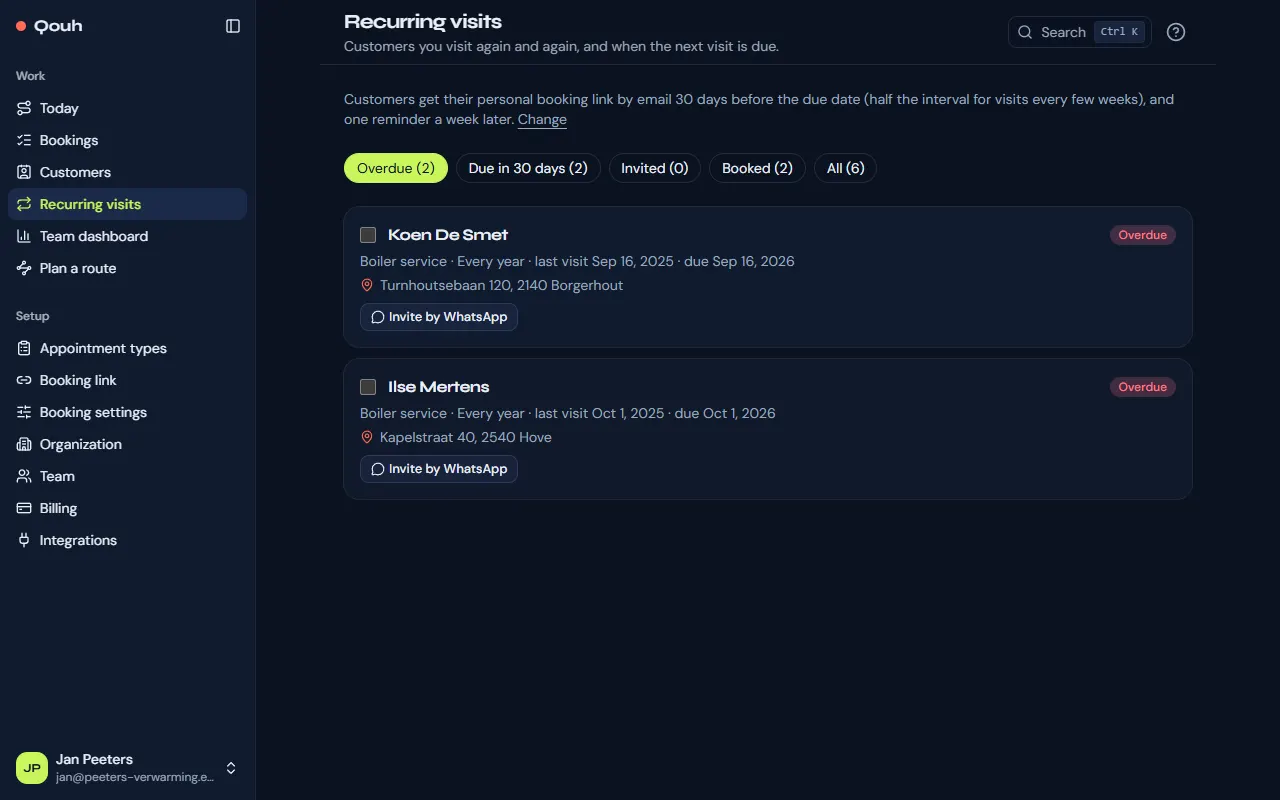
Recurring visits (under Work) shows the visits that are overdue, due soon, invited, booked, or all of them, each with when it is due. Recurring visits are part of Starter and Pro.
Add one
On a customer’s page choose “Add recurring visit”: the appointment type, how often (1 to 52 weeks or 1 to 60 months; 12 months is once a year), the last visit or when the first one is due, and if you like a preferred person. You can also add them with your customer list (Customers → Import).
Invite customers to book
When a visit is due, customers get an email that proposes one time: the one near the due date that fits your route best. They confirm it with one click, or pick another time with their personal booking link, which opens the booking page with their details filled in. Nothing is booked until they confirm, and the time isn’t held: if someone else takes it first, the page proposes the next one. One reminder follows a week later. In Booking settings you can choose another way: “Booking link only” lets customers pick a time themselves, “Book automatically” books the best time and emails a confirmation they can move or cancel, and “Staff only” sends nothing and puts the visit on your “To call” list. A customer can have their own way on their recurring visit. You can also select visits and send the invitations yourself, or invite a customer by WhatsApp. Customers can also ask to be called back instead: you get an email and a notification, and they wait under “To call” on Recurring visits and on Today until you mark them done or book the visit.
When it’s booked
A booking of that appointment type moves the recurring visit on by itself: it shows as booked, and after the visit the next one is due one interval later. Cancel the booking and it is due again.
Still stuck? Ask us.